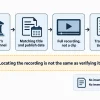
TL;DR: BestProps currently maps 10 firm reviews to the Match-Trader software category. Use the live directory to find relevant reviews, then verify the exact program, market set, web or app access, TradingView-based charting, account rules, and permitted trading tools with the firm.
Match-Trader prop firms use a platform that can be configured for different evaluation models and markets. That flexibility makes the provider’s setup important. Two firms using Match-Trader may expose different symbols, risk controls, feeds, devices, and account workflows.
This page is a directory of current BestProps taxonomy assignments. It does not promise that every record offers Match-Trader today or on every plan.
Compare Match-Trader prop firms
10 published reviews
- City Traders ImperiumView review
- E8 MarketsView review
- Funded Trading PlusView review
- FundedNext Review of Stellar Account ModelsView review
- Funding PipsView review
- Goat Funded Trader Review of Simulated AccountsView review
- Hola Prime Review of Simulated Account TermsView review
- Instant Funding Review of Simulated Account TermsView review
- The Funded TraderView review
- Top One TraderView review
The live directory provides the current set of BestProps reviews associated with Match-Trader. Open the records that fit your market, then confirm the software selection on the provider’s official purchase page and help center.
Search results mix trader-facing directories with business pages written for firms that license the platform. Keep those intents separate. A feature offered to a prop company is not necessarily enabled for the account you buy.
Understand what the firm configures
Match-Trader’s official prop platform pages describe built-in evaluation tools, dashboards, rule tracking, data-feed connections, and web, mobile, and desktop access. The platform lets a firm configure its own products, which means traders must verify the final account setup.
Ask about:
- The exact Match-Trader login and application you will use.
- Available markets, symbols, pricing feed, and trading sessions.
- Position limits, drawdown display, and automatic liquidation behavior.
- Whether the evaluation is paper trading and how later stages are classified.
- Any differences between the challenge and funded account interface.
Do not infer account rules from the platform vendor’s business feature list.
Check Match-Trader charts devices and markets
Official Match-Trader material says the platform includes TradingView charts and can run across web, mobile, and desktop products. Its current futures material also describes contract-aware position controls, session-based liquidation, market-depth data, and paper-trading support for futures evaluations.
Those details may apply only to a firm that buys and configures the relevant product. Confirm whether your chosen program is for forex or CFD trading, futures, or another market. Verify device access and chart tools with the actual credentials rather than a public demo.
Test Match-Trader against your routine
Focus on the actions your process requires. Check order types, stop and target placement, partial closes, chart layouts, alert behavior, account switching, and position display. If you rely on automation, copied orders, custom indicators, or an external service, obtain the firm’s written rule before using it.
Then compare the program terms that sit outside the software: daily and total drawdown, news trading, overnight or weekend holding, consistency limits, inactivity, prohibited methods, and payout eligibility.
Verify Match-Trader terms before payment
Save the official program page, rule document, and platform confirmation for the exact plan. Know which support team handles login problems, order disputes, rule breaches, and payouts.
Match-Trader features and prop-firm configurations can change independently, so repeat the check immediately before purchase.